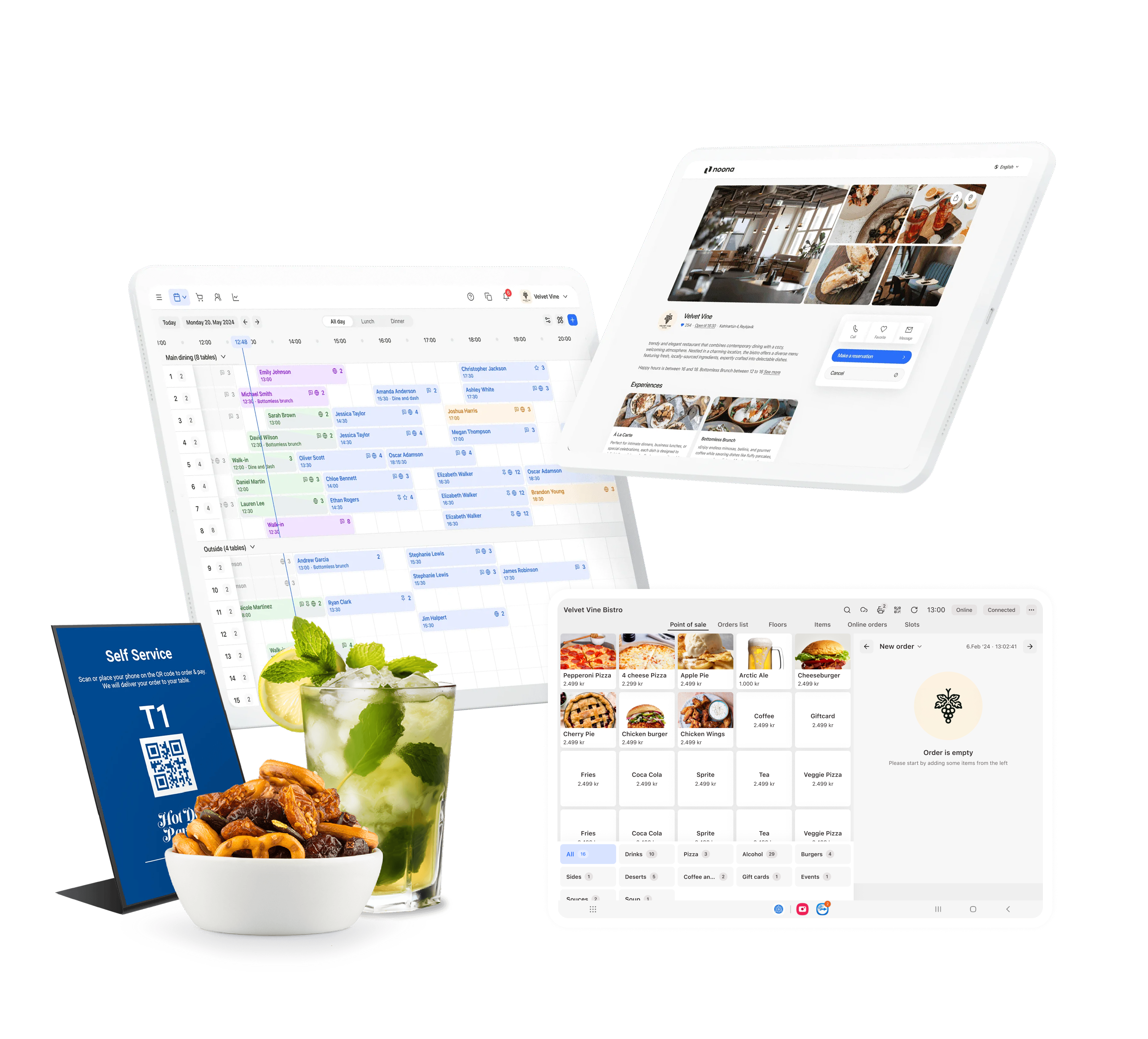
Everything your restaurant runs on
Take reservations, run the floor, and let guests order and pay. Everything a restaurant needs, in one place.
Table reservations
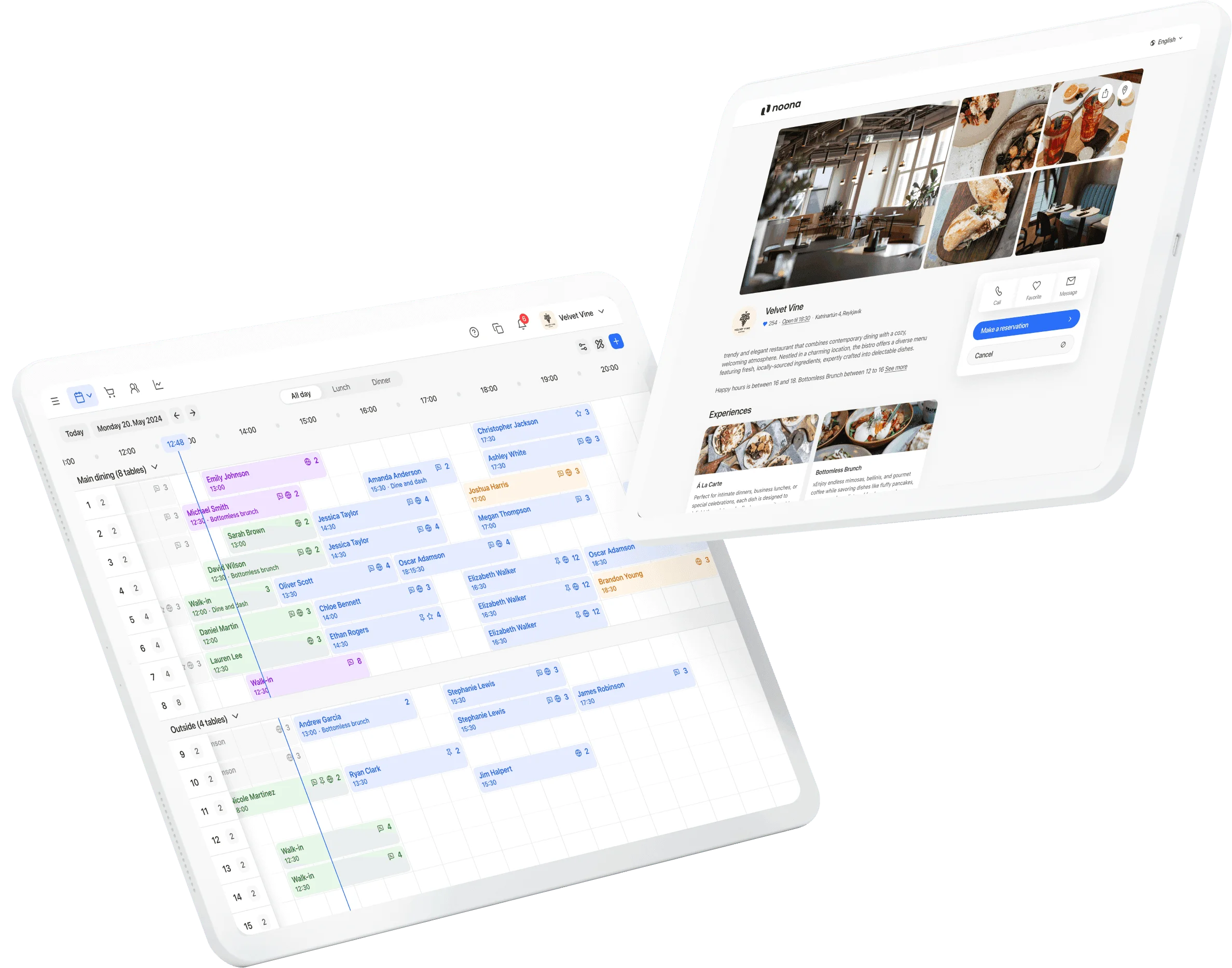
Every booking in one view
Take reservations from your own site, Google, Tripadvisor, and social, and see the status of every table at a glance. Waitlists keep you full on your busiest shifts, and each guest's history and preferences are there the moment they arrive.
Explore table reservations
Restaurant POS
From the first order to the final bill
Send orders straight to the kitchen or bar, split or merge bills across a table, and keep the back office in order, from menus to stock to reports. The sales screen is built to stay fast when it's busy.
See the restaurant POSQR ordering
Let guests order for themselves
Put a QR code on the table so guests browse the menu and order without waiting for a server. Fewer interruptions to your team, more time for hospitality.
See QR ordering
Book from anywhere
Reservations from your own site, Google, Tripadvisor, and social
Table status at a glance
See who's seated, who's due, and which tables are free
Waitlists
When you're full, waitlist guests and seat them the moment a table frees
Guest preferences
Preferred tables, special occasions, and past visits on hand
Split and merge bills
Handle any table however the group wants to pay
Orders to the kitchen
Every order reaches the kitchen the moment it's placed
QR and kiosk ordering
Let guests order from the table or a self-serve screen
24/7 support
Reach a real person any time, day or night
See it set up for your venue
Every venue runs differently. Book a demo and we'll configure reservations, POS, and ordering around your space, menu, and service style.
Book a demo →More food & drink venues
Frequently asked questions
How do I get started?
Book a demo. Every setup is tailored to your space, menu, and service style, so we configure everything with you rather than leaving you to a self-serve signup.
How much does it cost?
Table reservations is a flat monthly module, priced separately from appointment plans. The POS, ordering, and kiosk are quoted for your venue. A demo is the quickest way to a price that matches your setup.
What devices does it run on?
The reservation view works on any computer, phone, or tablet with a browser. The POS, QR ordering, and kiosk run on standard hardware we can supply, from tablets to kiosk terminals.
Do the reservation system and the till work together?
You get everything from us, but it runs as more than one system. The restaurant POS and its ordering tools work together on our dedicated restaurant system; table reservations runs on Noona HQ and doesn't connect to them today. A demo is the best way to see how the pieces fit your venue.