
Our promise: Peace & Profits
See how appointment-based business owners all over the globe use Noona to get peace of mind & maximise profits.
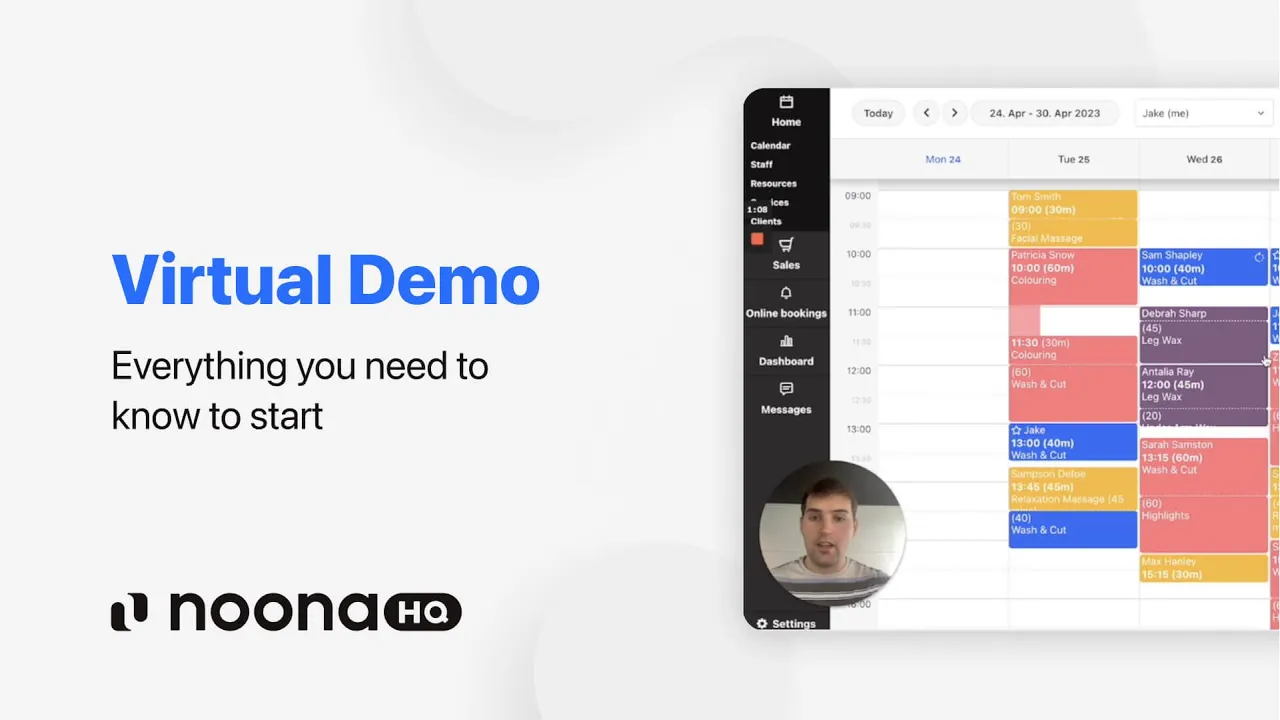
Everything you need in one place
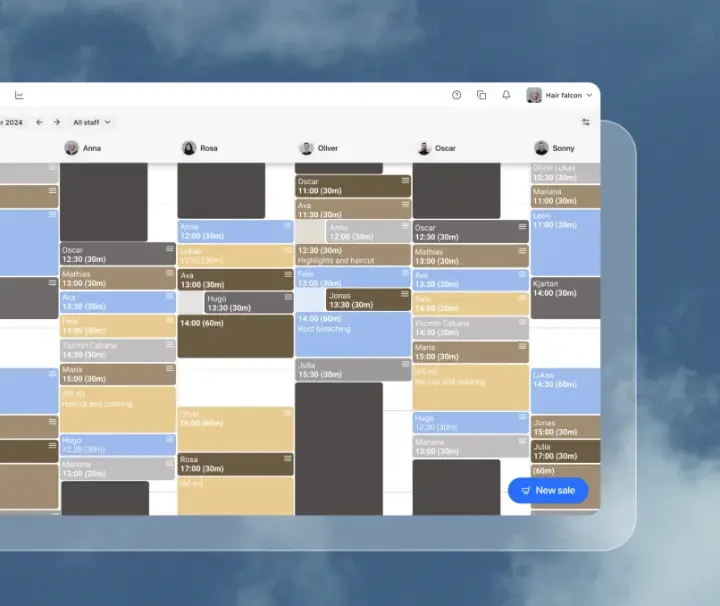
A calendar you'll love
Built for the speed of real life.
- Intuitive and fast calendar
- Full control over availability and bookings
- Recurring appointments & group bookings
- Bookable resources & rooms management
- Google Calendar sync
- iOS & Android apps
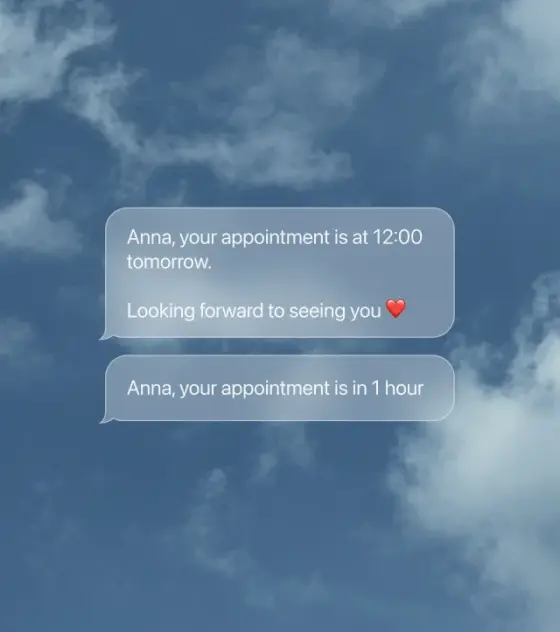
Your business on auto-pilot
Automatic reminders, smart automations, and all the controls to keep your business humming.
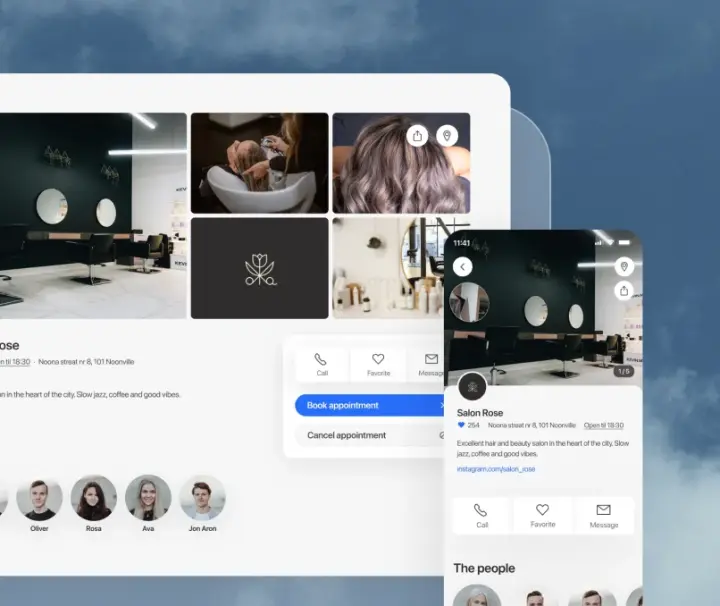
Online presence that gets you found
Reach new clients on the Noona marketplace, Google, Instagram, Facebook and your own website.
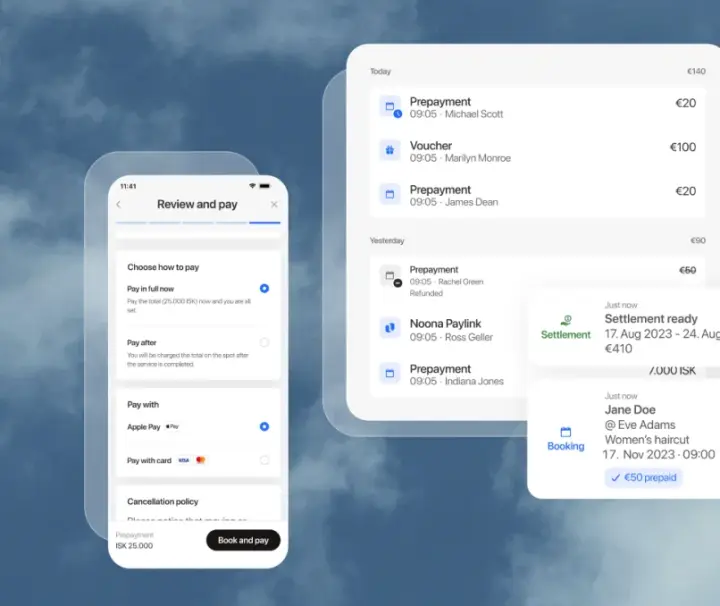
Paid without the paperwork
Bookings, payments, and sales — together at last.
- Point of sale with payment terminals
- Online payments & vouchers
- Invoices & sales reports
- Products & inventory
- Custom voucher design
"After trialing a few other softwares, in Noona HQ, I finally found a very clean and easy solution that allows me to focus more on my own customers. I rely on Noona HQ to take care of time-costing and "boring" tasks and they do the job impeccably well. Me and my own customers love Noona!"
Dora
Flow by Dora

Got questions? We've got answers
Is there a free trial?
Yes! Every new account gets a 14-day free trial with full Premium access — no credit card required. At the end of the trial, you pick the plan that fits your needs.
Do I need to install anything?
Noona HQ works in any modern web browser — no installation required. We also offer native iOS and Android apps for managing your business on the go.
How does per-seat pricing work?
Solo users pay the solo price. When you add a second team member, everyone moves to the per-seat team rate — which is actually cheaper per person.
How do I get started?
Just click here to create your account. No credit card required, no fuzz, no mess - just gravy.
Is Noona's customer support really 24/7?
Almost. As long as there is someone awake that works for Noona, then yes!
When are reminders sent to my customers?
The reminders are delivered at around 12:00 the day before the appointment. We wanted the reminder to be delivered close enough to the appointment to minimize no-shows, but long enough before to give your customer plenty of time to cancel and you plenty of time to react to that cancellation. We think the timing is just right.
Is there a contract or commitment?
No contracts, no commitments. All plans are billed monthly and you can cancel at any time.
Can I upgrade or downgrade at any time?
Absolutely. You can switch between plans at any time from your account settings. Changes take effect immediately and billing is prorated.
Does point of sale come included?
Basic point of sale is included on the Professional plan, and the Premium plan adds advanced POS with commissions and custom payment methods. Compare plans on the pricing page to see what's included on each tier.
Can I try an upgrade before deciding to subscribe to it?
Of course! As soon as you create a Noona account (which you can do here), you'll be able to try Appointments Pro for 14 days and the POS for 30 days free of charge.
What happens when the trial period ends?
All features under Appointments Pro become inaccessible. If you want to access them again, you can confirm your subscription. But you don't have to rush, we won't delete anything from your trial period with Appointments Pro so if you decide later on to implement Appointments Pro, your work won't be lost.
How do online bookings work?
You get a personalized booking profile where clients can see your services, availability, and book appointments 24/7. Share the link on social media, your website, or anywhere else.
Can I add bookings to my own website?
On the Professional and Premium plans, you get a booking widget that embeds directly into your existing website, allowing clients to book without leaving your site.
Can I require prepayment for bookings?
Yes. You can require full or partial prepayment when clients book online, reducing no-shows and securing your revenue upfront.
What information does my client have to provide to book online with me?
It is mandatory for whoever books online to provide her name and phone number upon booking. Other than that, you decide! You decide if you want your client to leave her email or social security number. If there is any other information you need, you can create a question she has to answer. For example, you could ask how long her hair is if she is trying to book an appointment for coloring.
It's totally up to you.
It's totally up to you.
Can I decide which staff member and which service is available for Online Bookings?
Of course. Whoever doesn't want to be available through Online Bookings doesn't have to be. And as for the services, it is also totally up to you which of those your client can book online.
What happens after I accept or deny a request?
When you accept an online request for an appointment, a message is sent to you customer that lets her know you're excited about his arrival. If you deny, we let her know that you won't be able to make it and encourage her to pick another time.
Ready to take the next step?
Pick the path that suits you best.
Get started yourself and see if Noona HQ is right for you
Point of Sale
Online Bookings
Appointments
SMS Campaigns
Unlimited Customer History
Appointment Reminders
Custom Fields
Flexible Gift Cards