
Connect Noona to anything you already use
The Noona API gives you programmatic access to the whole business: appointments, clients, staff, payments, reporting. Plug Noona into the tools you already run, or build something new on top of it.
40+
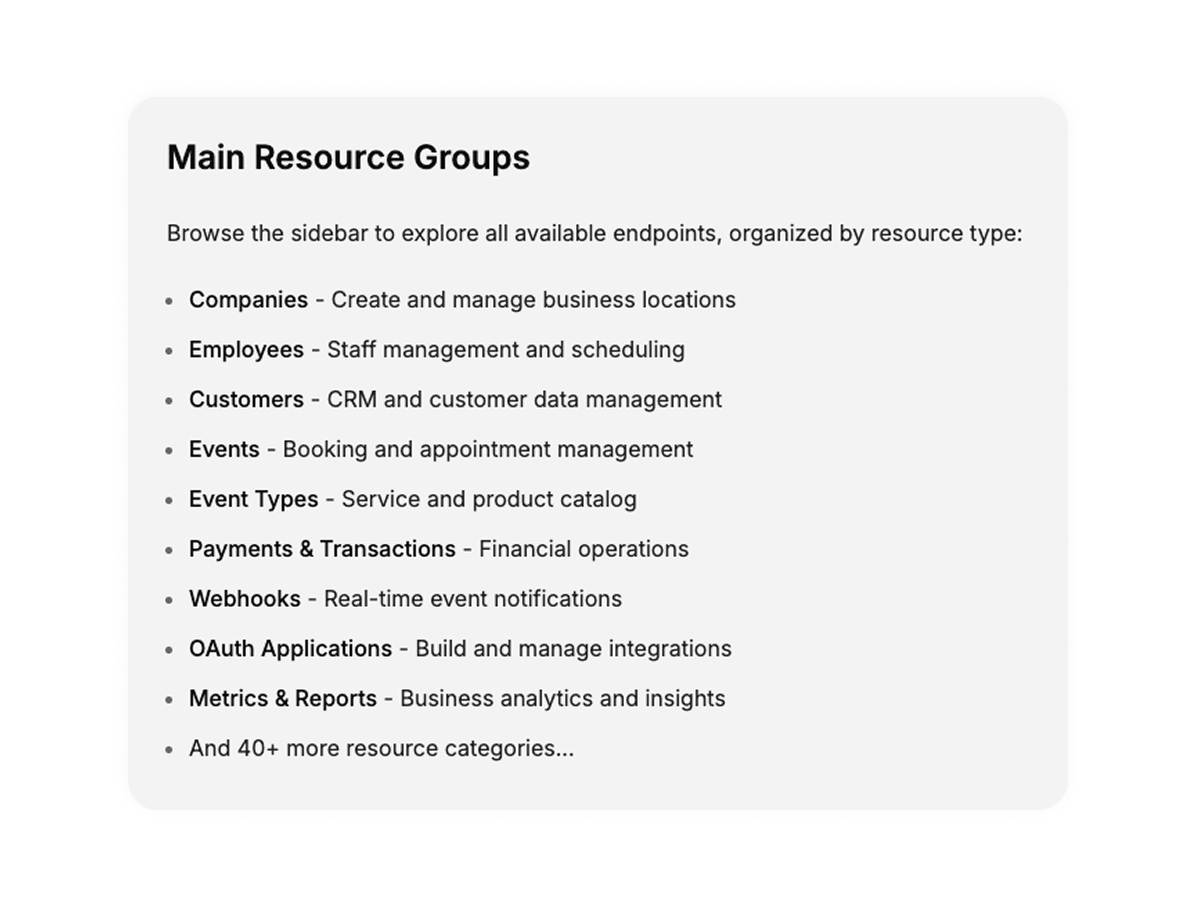
API resource groups
OAuth 2.0
Standards-based authorisation
The whole business, not a corner of it
Full coverage
Appointments, clients, staff, payments, products, vouchers, reports: over forty resource groups. If it is part of running the business, it is reachable.
Push rather than polling, and scoped
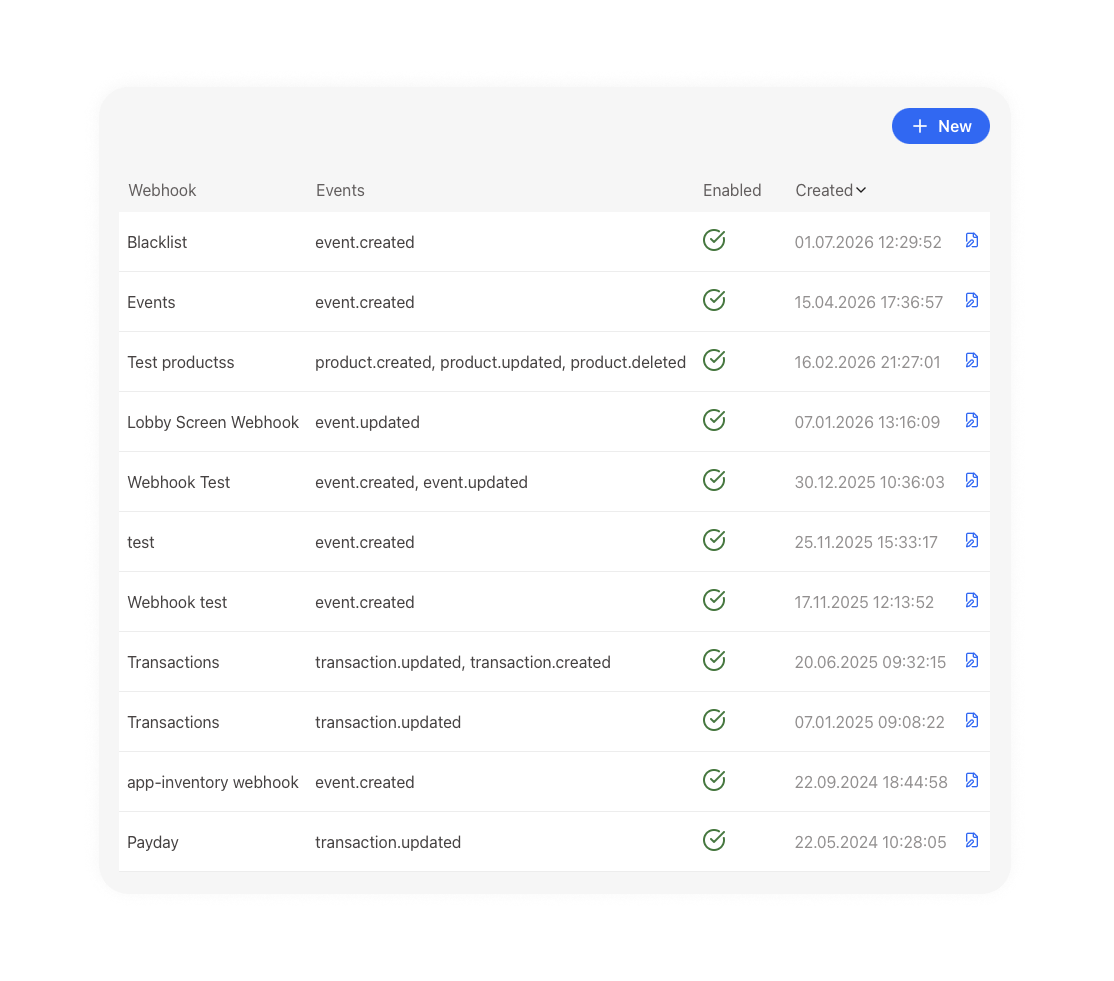
Webhooks, gated by what you granted
Get an HTTP push when data changes instead of polling for it. OAuth 2.0 is the only way in, and webhooks are scoped to exactly what you granted.
Set your connections live
Publish to the App Store
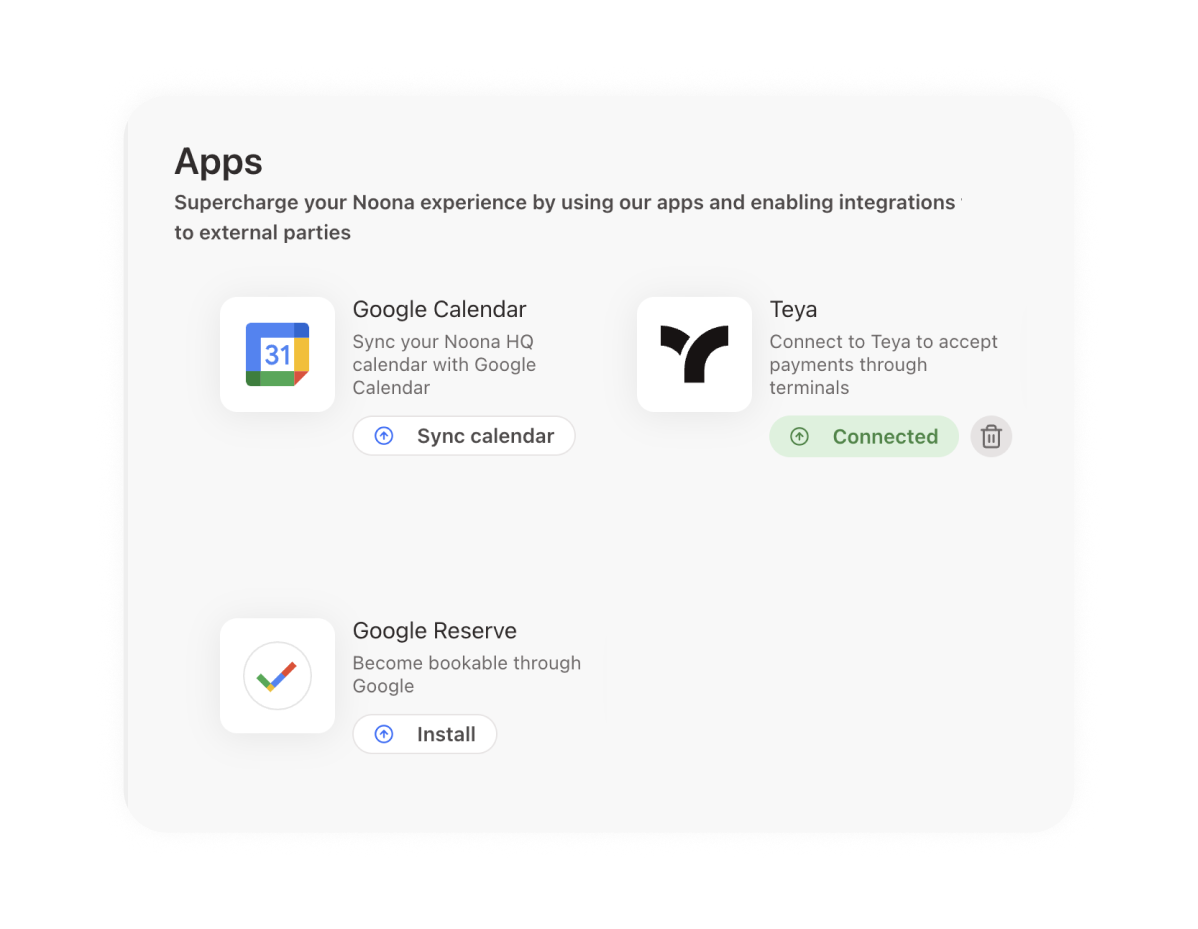
Build once and make it available to any business on Noona. Create the app in Noona HQ, work through the OAuth flow, then build your logic.
“After trialing a few other softwares, in Noona HQ, I finally found a very clean and easy solution that allows me to focus more on my own customers. I rely on Noona HQ to take care of time-costing and "boring" tasks and they do the job impeccably well. Me and my own customers love Noona!”
Dora
Flow by Dora

Appointments and bookings
Read and write the calendar programmatically
Client records
Sync customer data with your other systems
Payments and transactions
Pull payment and settlement data into your reporting
Staff and resources
Manage employees and bookable resources via API
Starter templates
Golang for backend-heavy integrations, Remix when there is a UI
Metrics and reports
Feed business data straight into your dashboards
Marketplace API
Largely open, no auth needed for standard use
Relentless customer support
We're here for you 24/7
Frequently asked questions
How do I authenticate against the Noona API?
The HQ API uses OAuth 2.0 exclusively, for both user-level and system-level access. The Marketplace API is largely open and doesn't require authentication for standard integrations.
Does Noona support webhooks?
Yes. Noona pushes an HTTP notification whenever data is created or updated, so you don't have to poll. You manage webhooks from a dedicated page in Noona HQ.
How do I verify a webhook really came from Noona?
Set custom headers when you create the webhook. Noona sends them with every request, so your endpoint can confirm the origin before acting on the payload.
What if the event I need isn't in the supported list?
Get in touch. The supported event list isn't exhaustive and we add to it. Being asked for something specific is the usual reason a new event appears.
Can I publish an integration for other Noona businesses to install?
Yes, through the App Store. Create the app in Noona HQ, implement the OAuth flow, and build your logic. Golang and Remix starter templates are available. Webhooks your app created are removed automatically on uninstall.
Where are the technical docs?
Full reference documentation for the HQ API, Marketplace API, and App Store lives at docs.noona.is, including authentication guides and endpoint details.
Ready to take the next step?
Pick the path that suits you best.