
More rooms, same control
Run several outlets under one chain, and decide exactly what each person on your team can see and do. Owners get everything; everyone else gets precisely as much as their job requires.
3,500+
Businesses on Noona
24/7
Support, whenever you need it
One chain, many outlets
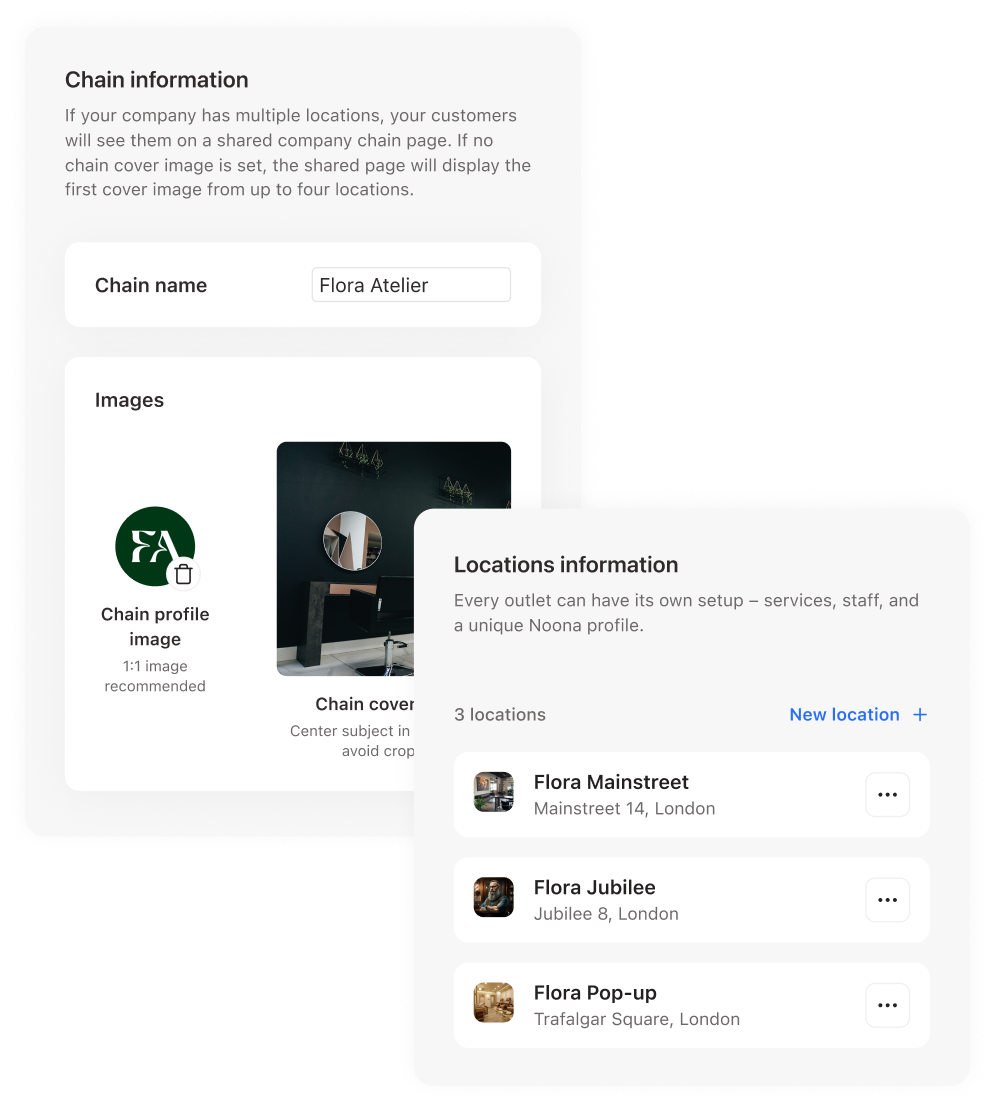
Add a location in a couple of clicks
Every outlet sits under one chain name with its own profile, address, and opening hours. Change an address once and every booking link you have already shared points at the new one — nothing to reissue.
As granular as you need
Owners, staff, and any role in between
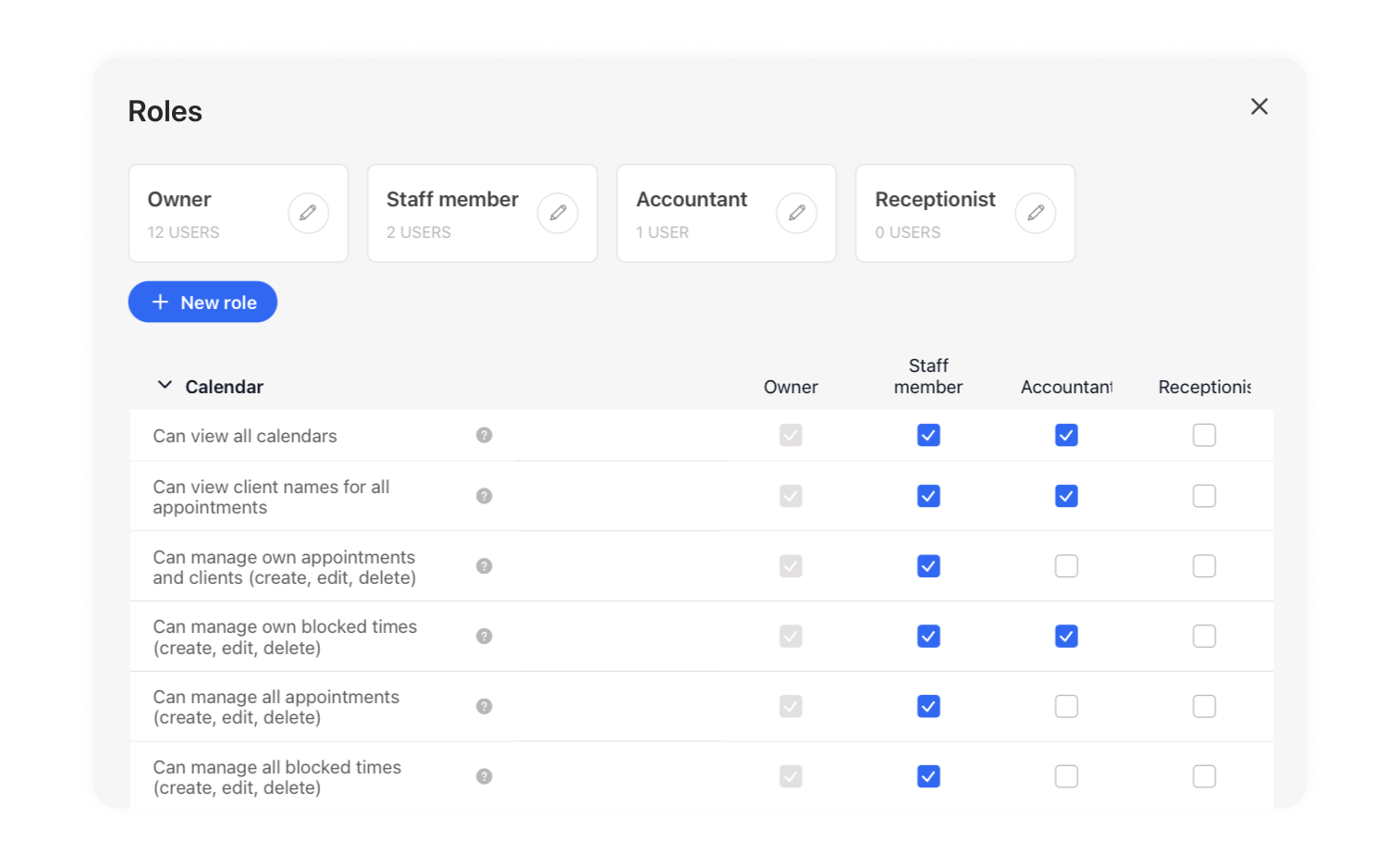
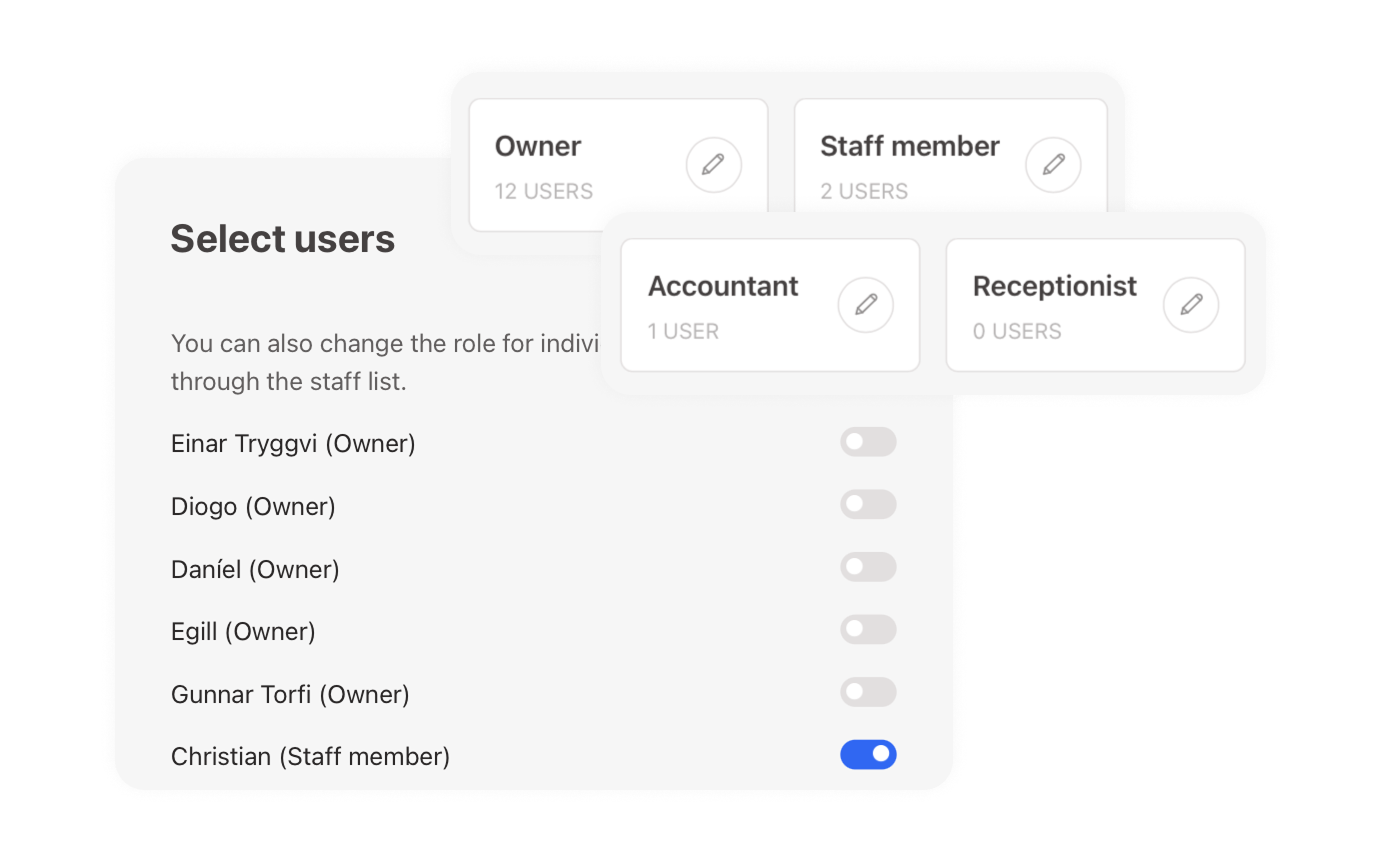
Owners see everything, and you can have more than one. Everyone else gets what you decide, including roles you build yourself, like a receptionist who only manages appointments.
Owner keeps control
Permission by permission, not all or nothing
Every role is assembled from individual permissions across the calendar, sales, client records and settings. Grant exactly what a job needs and keep the rest out of reach. Billing, staff and other owners stay yours alone.
“Noona HQ is simple and easy to use which is a key factor when you need to maintain a steady flow in your operations and service. Customer history and sales statistics are easily accessible and well organised, which gives us clear oversight of our business and makes it simple to plan our daily operations.”
Valgeir Einarsson
Líf Kírópraktík

Staff across outlets
Invite on the same email and they work both without two logins
Multiple owners
Share full access with a business partner
Per-staff reporting
See how each team member is performing
Auto-updating booking links
Change an address without reshuffling your links
Four commission types
Services, products, vouchers and bookings
Staff invitations by email
They complete their own setup from the invite
Per-staff preferences
Control who appears on the calendar and online
Relentless customer support
We're here for you 24/7
Frequently asked questions
Can I manage several locations from one account?
Yes. Locations are set up as outlets under a chain name, and you add new ones from your outlet settings as the business grows.
Do locations share services, clients and products?
Not currently. A new outlet starts fresh, so services, clients, and products don't carry across from an existing location. Better sharing of resources between outlets is something we're actively working on.
Is billing shared across locations?
Each outlet runs on its own subscription and add-ons today. Simplifying billing for businesses running several locations is on our roadmap.
How do I give a staff member access to two locations?
Send an invitation to the same email address they already use. That links their existing account to the second location rather than creating a separate one.
Can I limit what a staff member is able to see?
Yes. Customise what staff members can access, or create a custom role: a receptionist who only handles appointments, or a bookkeeper who only sees invoices, for example.
Who is allowed to change commission settings?
Only people whose role grants that permission. Commission configuration sits behind your role settings, so it isn't something any staff member can adjust.
Ready to take the next step?
Pick the path that suits you best.